
Host and test websites on your Mac Want to host or test a website you've created, or several of them, on your Mac? VirtualHost X shows you how. VirtualHostX is aimed at web designers working on multiple projects at once.
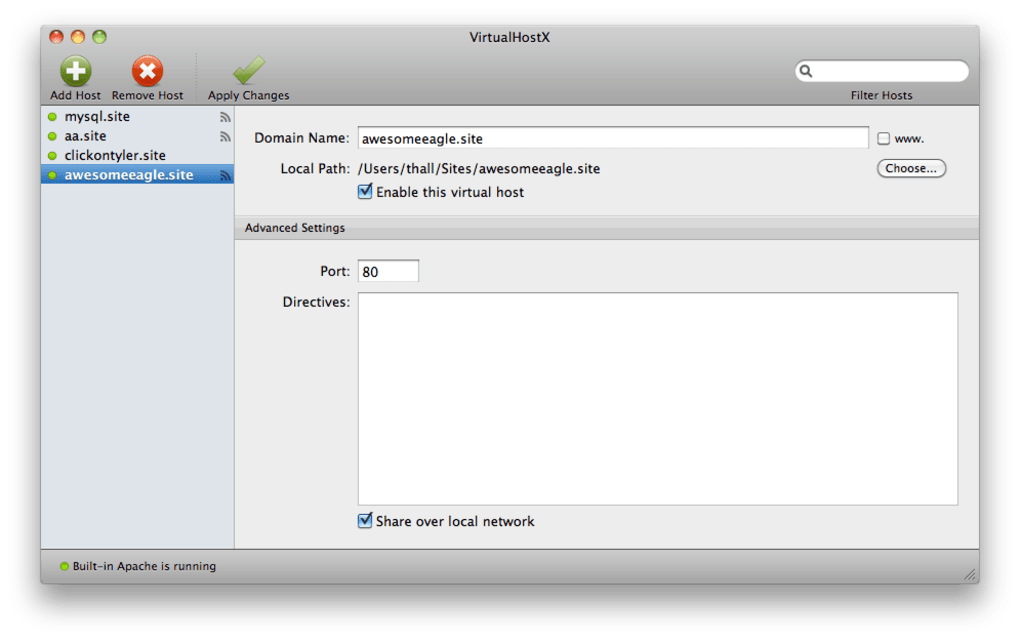
VirtualHostX allows you to easily create and manage virtual hosts in just a few clicks. The latest version offers offers finer control over Apache settings, and works with MAMP, XAMPP, and Apple's built-in web server and even lets you share your virtual hosts with other users on your local network. Although it's aimed at webmasters, those that are new to virtual hosting shouldn't have too many problems understanding VirtualHostX.
The Help section is extensive and the interface is slick and easy enough for anyone to understand. If you design websites regularly, it's worth learning about virtual hosts because setting one up is an excellent way to test websites before they go live. VirtualHostX is an excellent tool for any web master or website designer that needs to test their creations before they go online.
Changes
• You can now specify a custom IP address to resolve your virtual hosts to.
• This can be helpful for testing new domains against a live site prior to going live.
• VirtualHostX will now warn you if it detects your httpd.conf is not configured properly for virtual hosting. (The warning will appear in the lower right corner of the window.)
• "AllowOverride All" is now added to custom directory directives by default when creating a new virtual host.
• The "Web Server" menu now has commands to reveal your httpd.conf, httpd-vhost.conf, and hosts file in the Finder. It's just a quick way to open up those files if you ever need to do some manual tweaking.







